 Available on AgentExchange
Salesforce notifications,
done properly.
Behind tabs and lists, it’s easy to miss what matters in Salesforce. Things slip. So we built the framework Salesforce forgot to build.
Your Salesforce operations layer
Proactive monitoring. Timely actions. One actionable inbox. Everything you need, and everything that needs you, in one place. No platform events required.
100% native Salesforce. Endorsed by Salesforce Ben. First alert live in under 15 minutes.
The cost of falling behind
Deals go cold. Cases go unanswered. Follow-ups are forgotten.
Notifications are the only way Salesforce can reach out and help. But for most teams, that's not what happens.
Things slip, quietly and expensively. Managers chase. Reports get built. Teams are left to hunt for information, or deal with the consequences.
The Salesforce community has been saying this for years.
"The notifications are not obvious at all. All my users complain that they never get properly alerted."
"After completing tasks, I can't delete the notification. Every time I go in, I'm checking things I've already dealt with. The way notifications are now makes it a frustrating feature."
"The lack of the ability to clear out old notifications, or even to filter or easily search notifications, makes the entire concept of notifications redundant."
"So annoying. If nothing else, add a snooze button so I can finish the work in progress. I have to go into the task and push the reminder forward just to give me time to work."
"You are constantly reviewing them and wondering if they are still valid or not."
"I cannot imagine somebody scrolling through hundreds of notifications and still benefit from this feature."
"It would be nice to have the option to order the notification based on notification type or created date."
"My users all think it isn't working and want to use another tool instead."
This is what done properly looks like.
One app. 100+ IdeaExchange requests delivered.
Proactive monitoring
The alert that fires when nothing happens.
You cannot watch everything. So Act On It watches for you. It runs continuously and fires when something should be happening but isn't. A lead uncontacted after two hours. A deal with no activity in five days. A case queue building while no one is watching. Someone is told before it becomes a problem.
- Nothing slips. Nobody has to chase.
- Gives back the hours spent chasing and checking.
- Managers build their own rules. No admin ticket required.
- Configured in minutes. Runs all day. Steps in the moment a threshold is breached.
Leads assigned more than 1 hour ago with no call logged
Every 30 minutes, Monday to Friday
Lead Owner and their Manager
That's it. Act On It handles the rest.
Real-time alerts
The moment something happens, the right person knows.
A new lead arrives. A customer replies. A case is raised. Act On It fires instantly, however the user wants to be reached: a pop-up, a sound prompt, a blinking tab. Wherever they are in Salesforce. The right message, at the right time, in the right way.
- Faster first response. Every time.
- Nothing missed while your team is heads-down elsewhere.
- No platform events consumed. No page refresh required.
One actionable inbox
Everything that needs your attention. One place. Visible until someone acts. Actionable with a click.
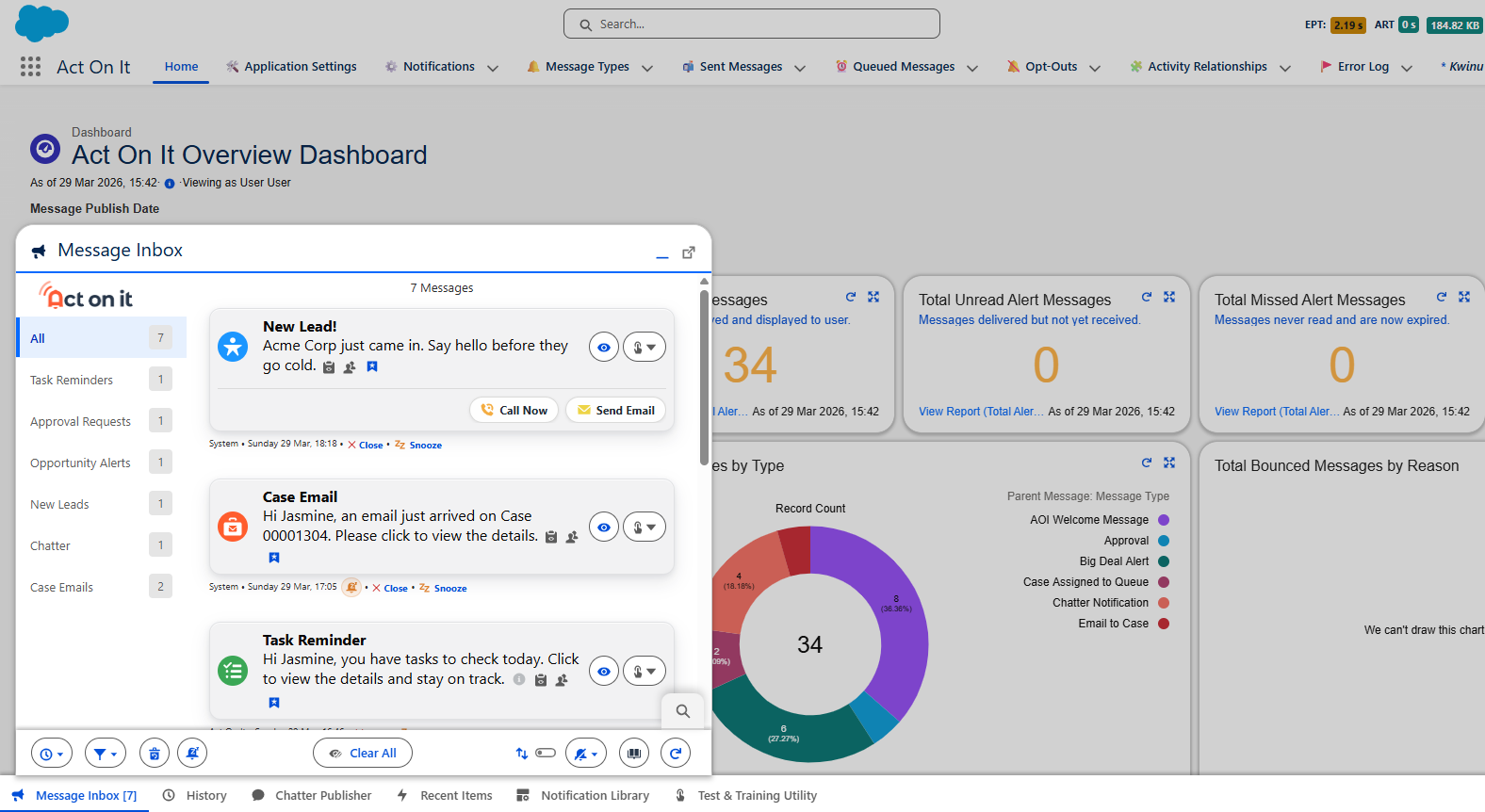
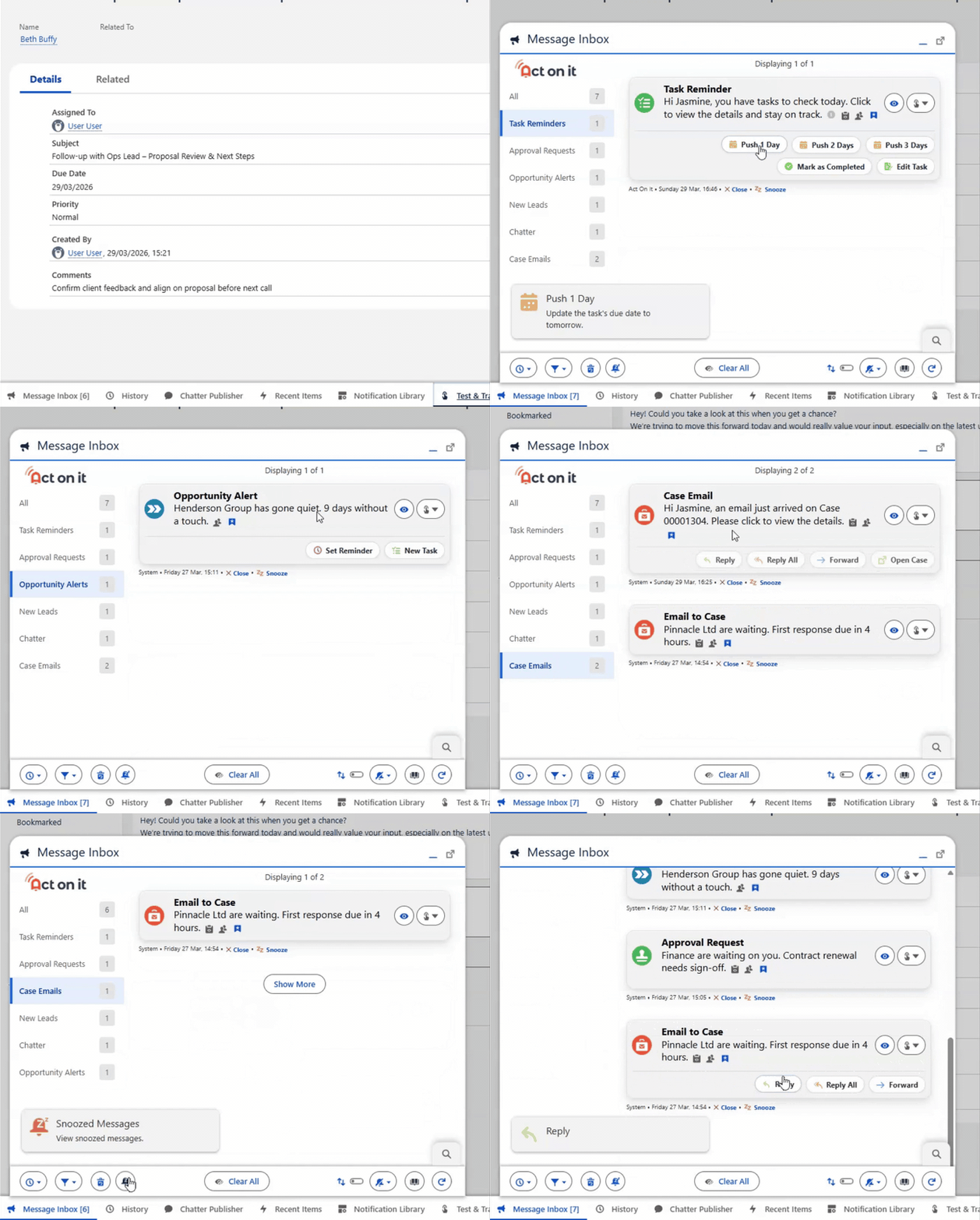
Every alert, real-time or proactive, lands in a single persistent inbox inside Salesforce. Filter by type. Search by content. Save for later, snooze for a reminder, or close when done. And when action is needed, it is right there. No navigating away, no context switching.
- One place for every alert. No tab-switching. No noise.
- Act in one click without losing your place.
- See exactly who engaged, who acted, and who ignored it.
- Accessible from anywhere in Salesforce and on Salesforce mobile.
Performance Analytics
Built-in Performance Analytics
Every notification comes with a full picture of what happened next.
Delivery rates. Engagement. Speed of response, measured from the moment your rep is first told. Whether you're tracking adoption, SLA compliance, or team responsiveness, it's all captured automatically. Zero config. No extra setup.
Your Salesforce operations layer
Attention drives outcomes.
Act On It doesn't just give your teams a better way to manage their work. It gives your business a way to direct attention to the things that drive results.
Reviews
What customers say
Real feedback from teams using Act On It.
Featured review
Everything Salesforce notifications should have been.
“I've never had an experience like this with any tech product. You can customize and alert users about virtually anything, and notify them through whatever method you prefer. Just install it. You won't regret it.”
Rachel Bell, Salesforce Double Star Ranger

From manual checking to real-time delivery
Save yourself time, money and mental energy with this app. Gone from multiple manual checkpoints in my diary to proactively being delivered the information when required - highly recommend.
Emma Corless
Head of Customer Service
Centralized alerting for customer communications
ActOnIt changed everything for us. It delivers the centralized alerting and communication visibility that Salesforce was missing. Now, our team can properly manage and respond to customer communications without worrying about anything slipping through the cracks.
Daniel Kandler
Customer communications team
Changed the way we communicate as an organization
Game-changing! The native aspect of the app is of course huge. The way we've been able to tailor and customize notifications has dramatically improved our efficiency as an organization.
Chandler James
Chief of Staff
Free to start. Nothing held back.
Free forever
Your first three use cases run permanently at no cost. No trial period. No expiry.
No platform events required
Run without touching your platform event allocation. Ideal for large orgs where that headroom matters.
Your entire team
1,000 user licenses instantly available in your org to allocate to any team, as you see fit. No seat negotiations. No waiting.
100% native Salesforce
No external servers. No middleware. Your data never leaves your org.
Live in 15 minutes
Install from AgentExchange, configure your first use case, and you're sending alerts the same day.
AgentExchange approved
Security reviewed and listed since 2020. Used by teams across the Salesforce ecosystem.
Try it. Really try it.
Act On It is free to install. Full access to every feature, with no time limit. Build your first alert. See it fire. Decide when it is right to roll out. No demo request. No sales call. No sandbox-only preview. Your real Salesforce org. Your real data. Your real team. When you are ready to scale, that is when pricing kicks in.
Most people spend longer deciding whether to try it than it actually takes to set up. The first alert usually surprises them.